Photo-Brush

Photo-Brush
License:
Trial version
Language:
English
Developer:
OS:
Win95/98/98SE/Me/2000/NT/XP/Vista/7
Updated:
See detailed info

Softonic review

Amber Sass

“Everything you need for your digital images”

by Amber Sass about Photo-Brush

Photo-Brush is an all-in-one image editing program for Windows PCs.

If you're big on photography, you know that no one takes the perfect picture every time. That's why we have image editing programs - to ensure our pictures come out looking absolutely wonderful so we can show them off to friends and family with confidence.

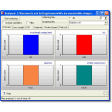
Photo-Brush is one of those programs that helps touch up your photos. With an attractive interface and a fairly intuitive set-up, Photo-Brush lets you make basic changes to your photos. These can include color adjustments, changes to exposure levels, hue, saturation and illumination, as well as sharpening or blurring where needed. In addition, you can crop your photos to perfection in a few simple clicks.

In addition to more professional tools, Photo-Brush also has a color lab and tools to alter the appearance of your photos in more humorous ways. Some of these effects are Liquid Warp, Fractal Droste and Little Planet, which is a stereographic projection. Photo-Brush also includes RAW support and has plug-in support for Adobe Photoshop programs, which will be a must for die-hard image and graphics users.

Do your images need color adjustments, crop, sharpening or some effects? Photo-Brush is an image editor that loads instantly and it is packed with easy-to-use features.

For a comprehensive photo editor that's also affordable if you opt to buy the full version, give Photo-Brush a try.
Pros
  • Nice looking interface
  • Change exposure, levels, hue, saturation and more
  • Includes fun tools for altering an image's appearance
  • Adobe Photoshop plug-in support available
Cons
  • Complicated for beginners to learn certain features
Download Photo-Brush 5.3

Photo-Brush is virus free

We have analyzed the latest version of Photo-Brush with 30 antivirus engines and it is virus free. See analysis results.

TESTED VIRUS FREE - Softonic GUARANTEED

Review and rate Photo-Brush

Your avatar

Your opinion is important.
Help other users - be the first to review this program.

Review
  1. Maximum: 75 characters

  2. See example

Pros and Cons
Rate
  1. What rating would you give Photo-Brush?

    You need to fill in all fields

    • Usability:

      Not rated
    • Stability:

      Not rated
    • Installation:

      Not rated
    • Functionality:

      Not rated
    • Appearance:

      Not rated
    • Overall rating:

      Not rated
  2. Don't worry, we won't make your email address public.

You're not allowed to share serial numbers, cracks, etc. or link to pages that contain them. If you do, your user account will be deleted, your IP address logged and legal action will be taken.

Get started - just ask a question!

Write a title for your question.

Alternativesto Photo-Brush

  • In English:
    PaintStar
    PaintStar

    Excellent free image and photo editor

    Softonic rating:
    • 9/10
    User rating:
    • 8/10
  • Free:
    Active Pixels
    Active Pixels

    Free image editor very similar to Photoshop

    Softonic rating:
    • 9/10
    User rating:
    • 8/10
Compare with Photo-Brush
Download rank: Drawing & Retouching

27 of 76

Softonic rating:
  • Very good
  • 8/10
User rating: (3 ratings)
  • Very good
  • 8/10
Your rating:
Your rating
  • 0

Review and rate this program

Top Downloads: Drawing & Retouching

  • United States
  • Global

  1. An amazing free photo editor with lots of extra tools

Reviews of Photo-Brush in other languages